
We've Launched a New Documentation Website

This documentation site is no longer being updated and may not contain the latest information.

We encourage all participants to start using the new documentation site to explore the improved experience and ensure you're always viewing the most up-to-date documentation.

If you have any feedback, please reach out to us.

View This Page on the New Documentation Website

Sign-On And Sign-Off Request


Sign-On


The Sign-On Request message is used to perform sign-on to the RPP system. Sign-On is normally sent when the Participant’s real-time services is back online after a scheduled maintenance. This enables the Participant to go back online with RPP and be able to send and receive payment requests.
A system notification message will be sent to the other Active Participants on any change in status of a Participant.
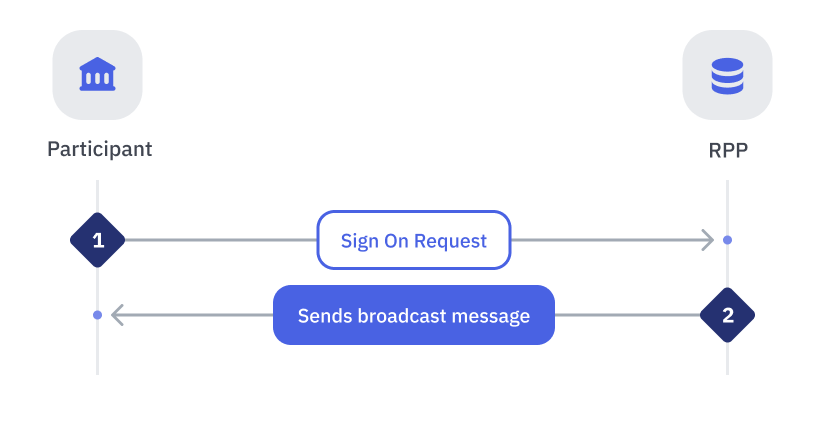
StepSenderReceiverProcess

1

Participant

RPP

Participant initiates a Sign-On request

Notes:
  • If a Participant has subscribed to a Bank Connector, their request will be sent to the connector, which will then forward it to the RPP host.
  • A participant can have multiple signing on ports available, but they are only required to sign in from one of those ports.

2

RPP

Participant

When RPP receives the request, it will:

  • Sign-on the Participant into the RPP system
  • Set the status of the Participant to Active
  • Send a broadcast message to the other Active Participant